360 Around View Monitor (AVM)
Chapter 5 · Manual page 229
With the 360 around view monitor (AVM) system working, the driver interface will display a 360 around view of the vehicle to facilitate the observation of surrounding environment and make the driving environment much safer. You can touch buttons on the display to view images from different perspectives around the vehicle.
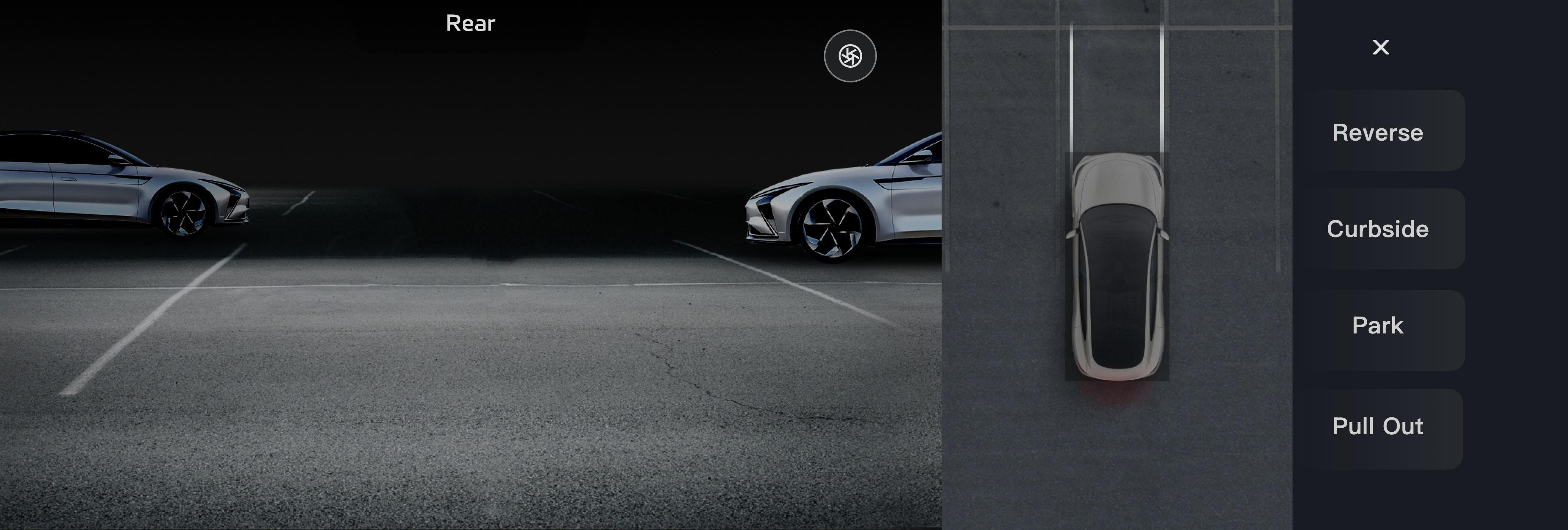 When the speed is less than 12mph (20km/h) and not in R gear, you can enter the 360 AVM system in the following ways:
- Select R gear;
- Turn on the 360 soft switch on APPlist;
- If the 360 shortcut has already set, use the steering wheel switch to enter 360 AVM mode;
- Power the vehicle and enable the 360 AVM using the Settings option in the centre display, with the vehicle powered on shifting to D for the first time will activate the 360 AVM. Note: Whilst in the D position the 360 AVM cannot be enabled when the vehicle speed is above 12 mph (20 km/h). In the 360 AVM Display interface, you can personalise the settings for the relevant system functions. The transparent chassis of 360 AVM is a technology that makes the image collected by the camera in advance display a transparent effect after technical processing, this is transmitted to the entertainment display, which is convenient for the driver to see the road conditions under and around the car. Note: The transparent chassis of 360 AVM cannot recognize the possible changes beneath the vehicle when the vehicle is stationary. Please drive with caution when using this function, and pay attention to actual environment to avoid damage to the vehicle.