Indicator lamp
Chapter 2 · Manual page 46
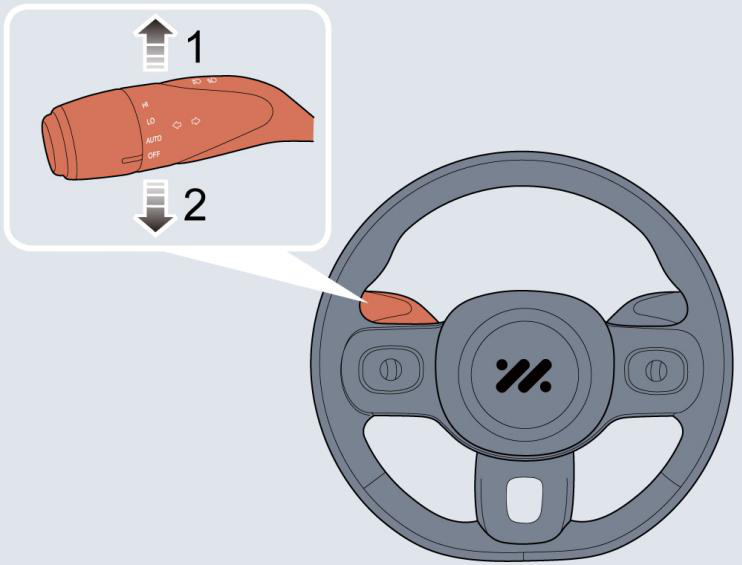 When the vehicle is powered on:
- Move the lever (2) down to operate the left indicator.
- Move the lever (1) up to operate the right indicator. The corresponding direction indicator lamp in the instrument will flash when the indicator lamps are working. Rotating the steering wheel will cancel the indicator operation (small movements of the steering wheel may not operate the self cancelling). To indicate a lane change, move the lever briefly and release, the indicators will flash a preset number of times and then cancel. BSD note: When the user selects a left turn and the speed is lower than 12mph (20 km/h), the road conditions in the front left blind spot vision are displayed on the driver entertainment screen; when the speed is higher than 12mph (20 km/h), the road conditions in the rear left blind spot vision are displayed on the driver entertainment screen. When the user selects a right turn, the road conditions in the rear blind spot vision are displayed on the driver instrument screen.