Replacing the Smart Key Battery
Chapter 2 · Manual page 22
Please replace the smart key battery if you experience any of the following conditions:
- The effective locking/unlocking function range of the smart key is obviously reduced.
- The anti-theft system warning lamp flashes.
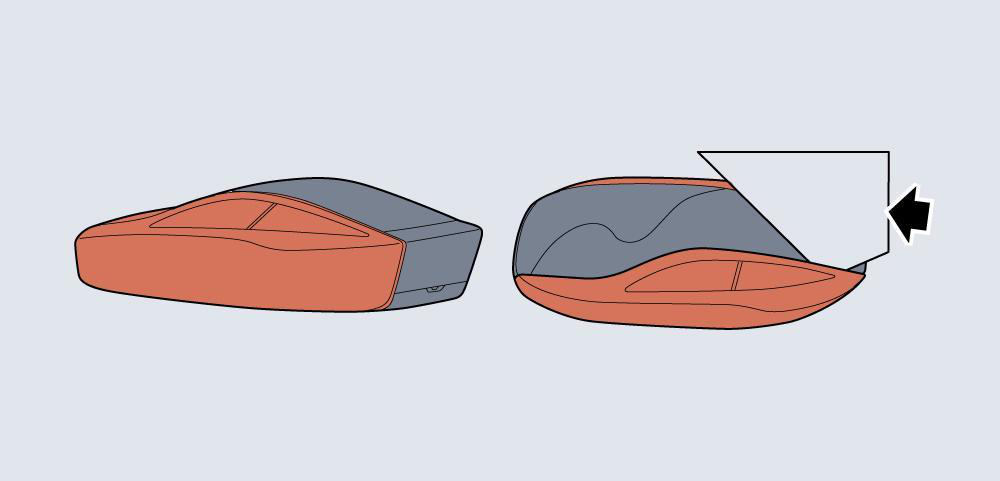
- Side cover removal: Using a hard card, such as a bank card, insert the corner of the card into the gap between the side cover and key body (as indicated by the arrow).Twist or tilt the card to release the side covers.
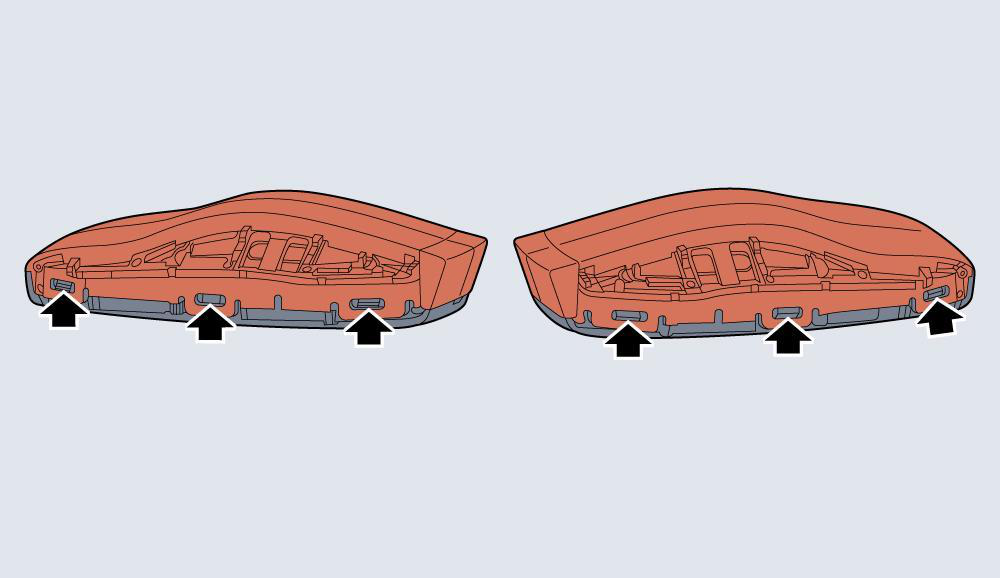
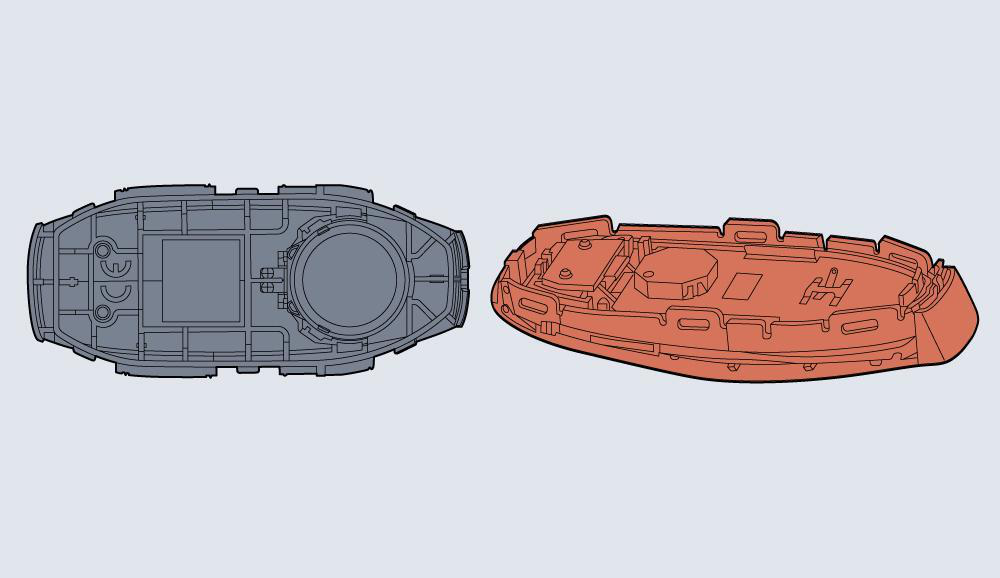
- Use a small flat-head screwdriver or a similar tool to gently pry up the 6 clips (as shown by the arrow) fixing the surface cover to the bottom cover, and remove the bottom cover.
- Remove the battery(as shown by the arrow) from the battery cover slot.
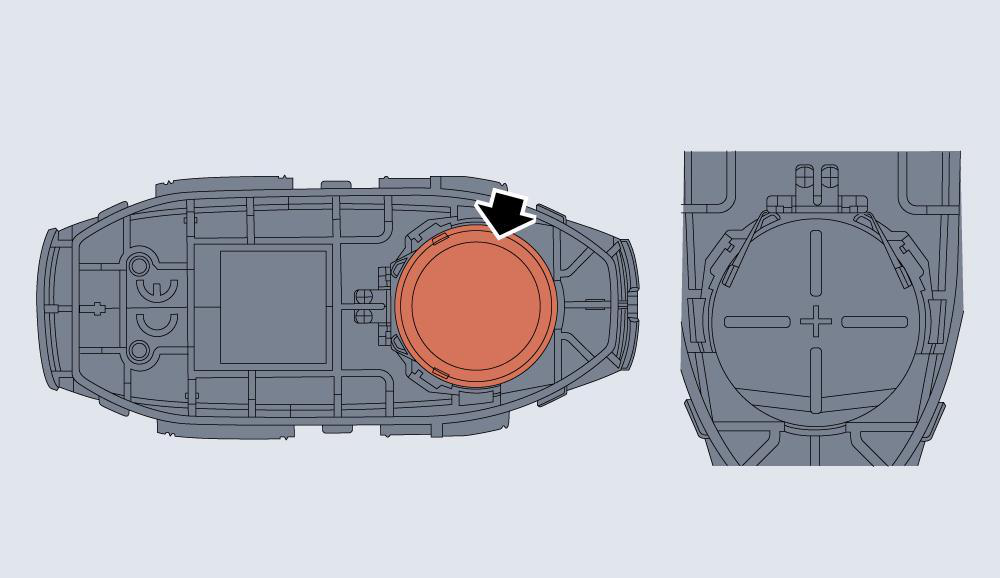
- Place a new battery in the slot and make sure it is in correct and full contact with the battery cover.
Make sure that the polarity of battery is correct (’+’ side facing down).
It is recommended to use a CR2032 battery.
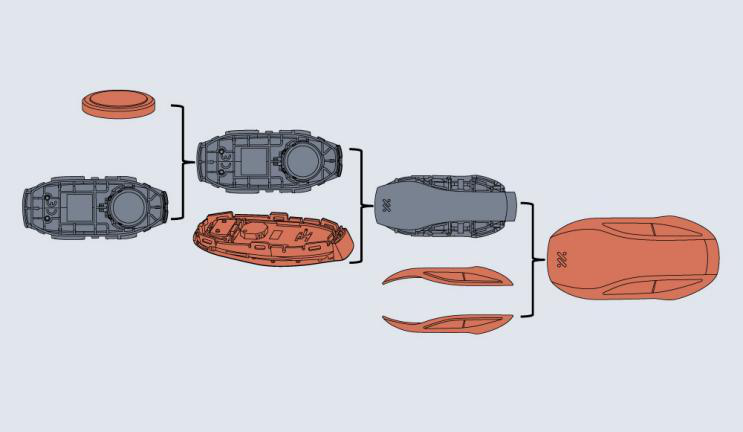 5. Position the surface cover on the bottom cover, align the corresponding 6 clips with the holes and gently press together, install the left and right side plates, press firmly, and check whether the surrounding clearance is uniform.
6. Start the vehicle to resynchronize the key with the vehicle.
5. Position the surface cover on the bottom cover, align the corresponding 6 clips with the holes and gently press together, install the left and right side plates, press firmly, and check whether the surrounding clearance is uniform.
6. Start the vehicle to resynchronize the key with the vehicle.
- Use of an incorrect or inappropriate battery may damage the smart key. The replacement battery’s rated voltage, sizes and specifications must be the same as those of the old one.
- Incorrect fitting of the battery may damage the key.
- Disposal of the used battery must be strictly in accordance with relevant environmental protection acts. Advice about the Safe Disposal of Used Button/Coin batteries In respect of used button/coin batteries, it’s strongly recommended that:
- Dispose of used button/coin batteries immediately.
- Apply tape to both sides of used button/coin batteries and dispose of them immediately in a dedicated battery disposal bin.